Your minifig collection,
and what it's worth.
Figbook keeps your LEGO® minifigures in one place — what you own, what you're still hunting, and the market value of all of it. No account. No tracking.
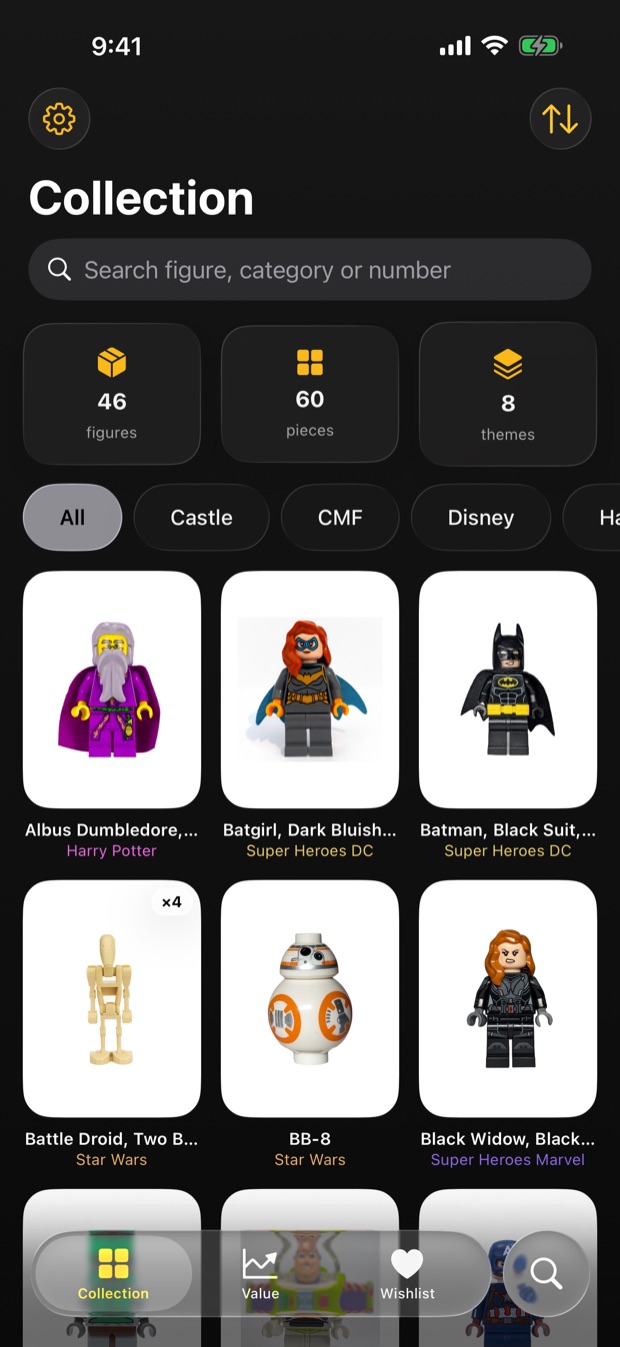
Built for the way collectors actually keep track.
Not a spreadsheet with a nicer font. Figbook knows the catalogue, follows the market, and remembers which drawer you put things in.
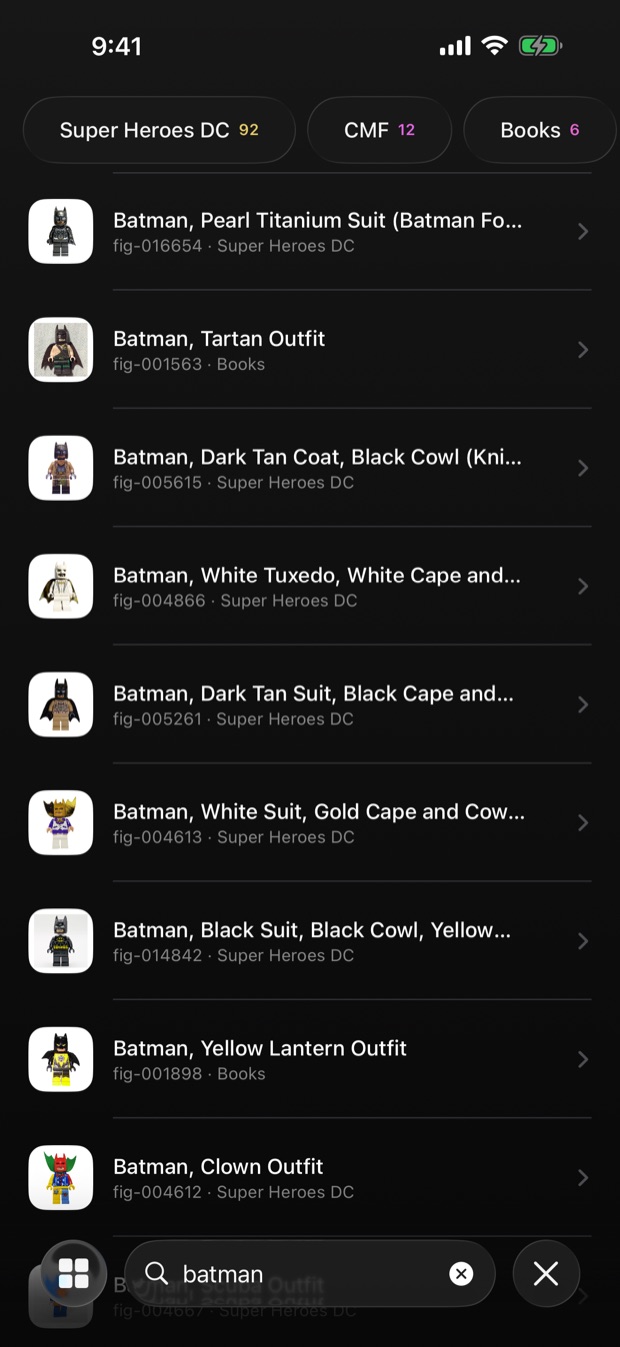
A catalogue that already knows your figures
Search seventeen thousand minifigures by name — several words at once, ranked by how well they match. Narrow it down by theme and sub-theme, tap a figure to add it, and Figbook fills in the theme, the year and the artwork. Your collection takes shape in minutes, not evenings.
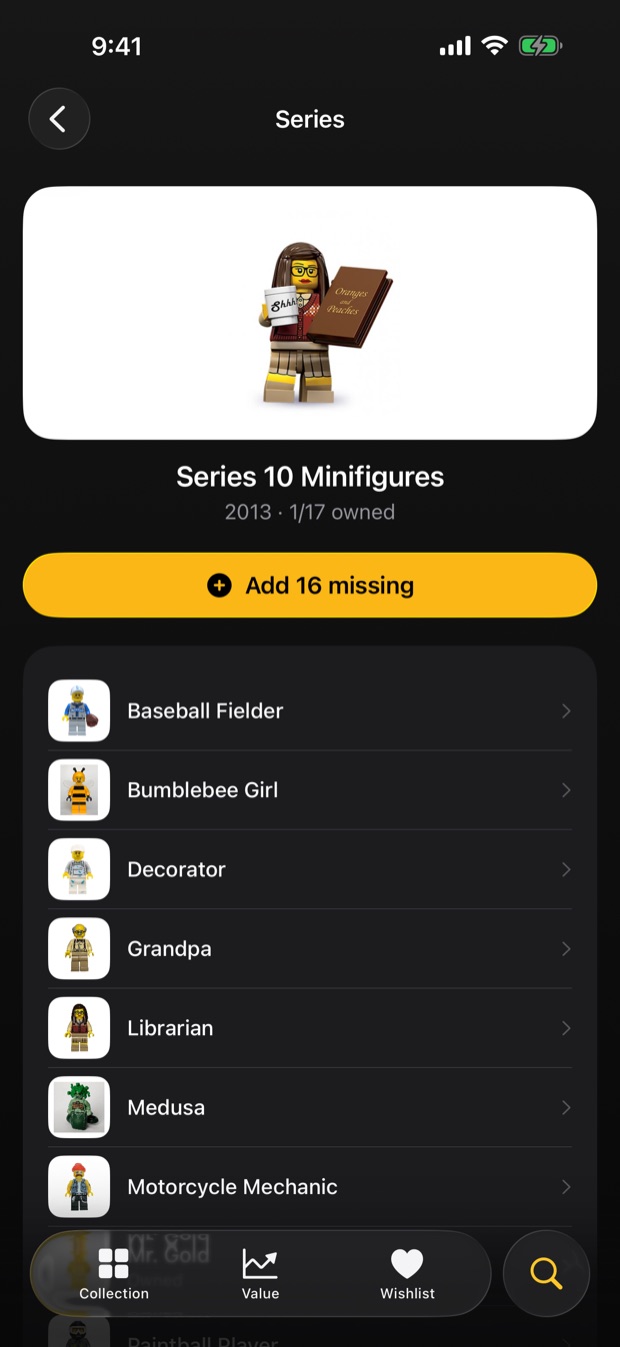
A whole set or series in one tap
Open a set or a Collectible Minifigures series and tap "Add missing": only the figures you don't have yet are added, and anything on your wishlist moves to your collection. Every CMF series sits in one list, newest first, showing how many of each you own.
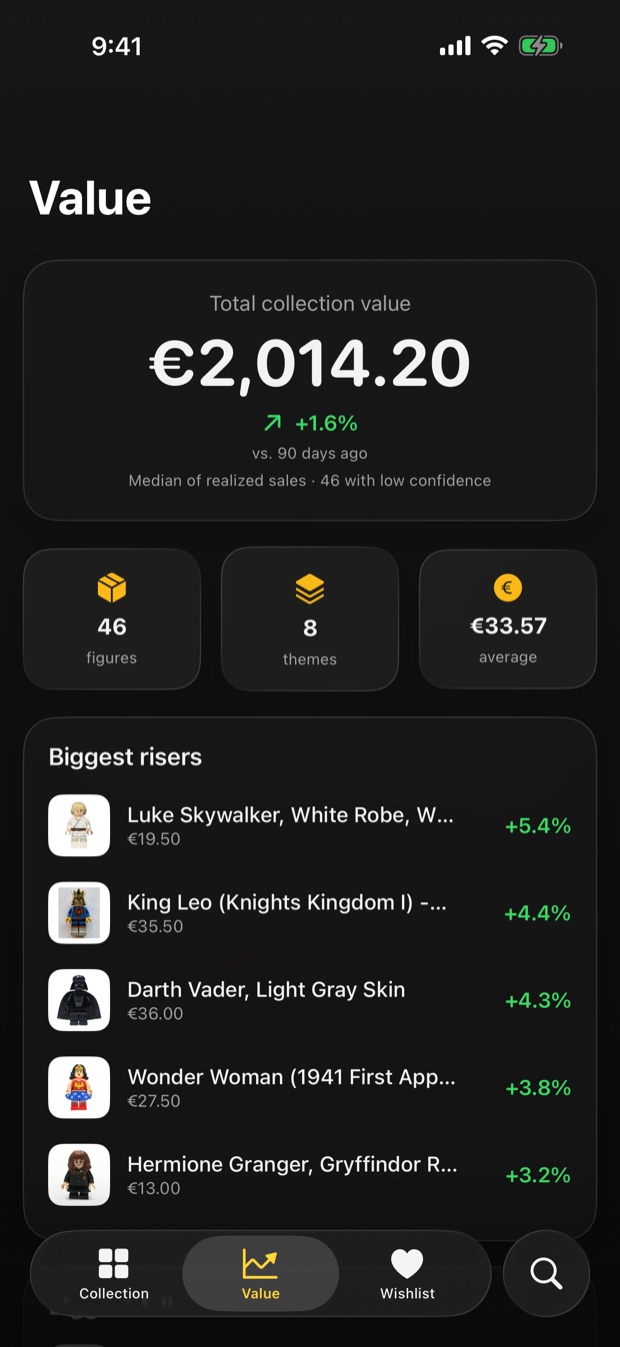
Watch the value move
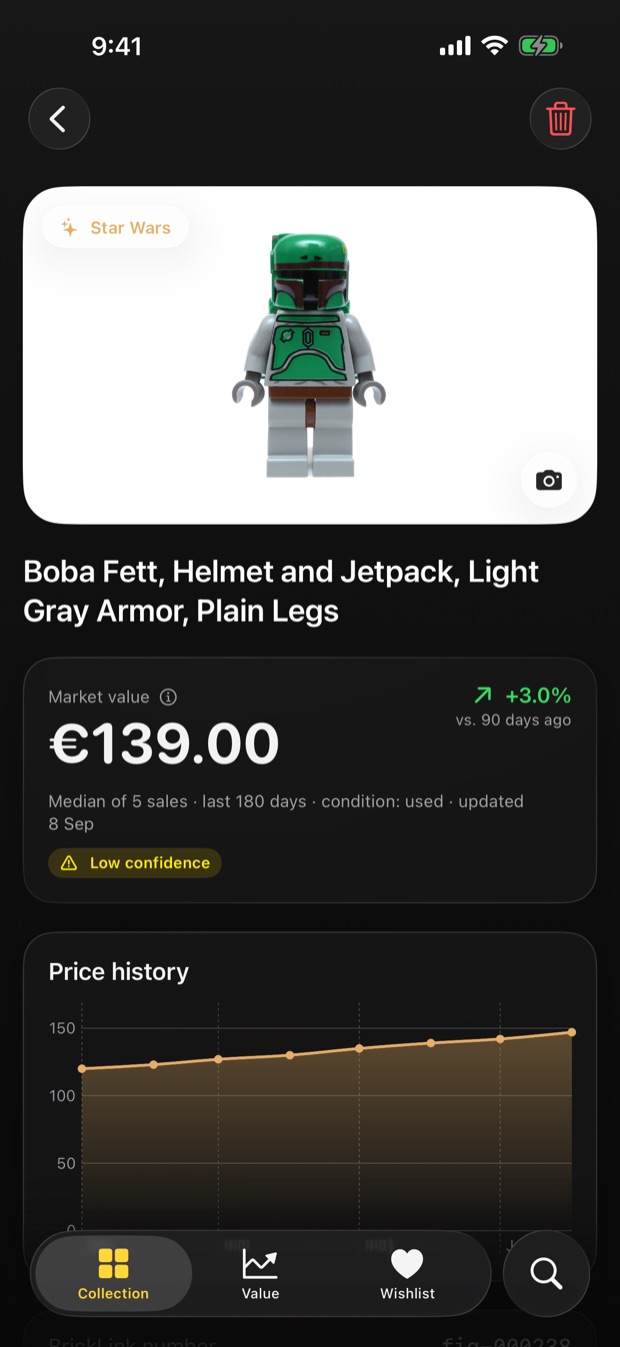
Connect your own BrickLink keys and every figure gets a market value based on real completed sales, with price history over time. See the total, the average, and which pieces are climbing. Prefer your own number? Enter it by hand — you stay in control.
Every figure, in detail
Open a figure to see its market value, a price graph over the last months, its BrickLink number, year and condition. Add your own photo of the actual figure on your shelf, and record which box, drawer or display case it lives in.
Know what you're still hunting
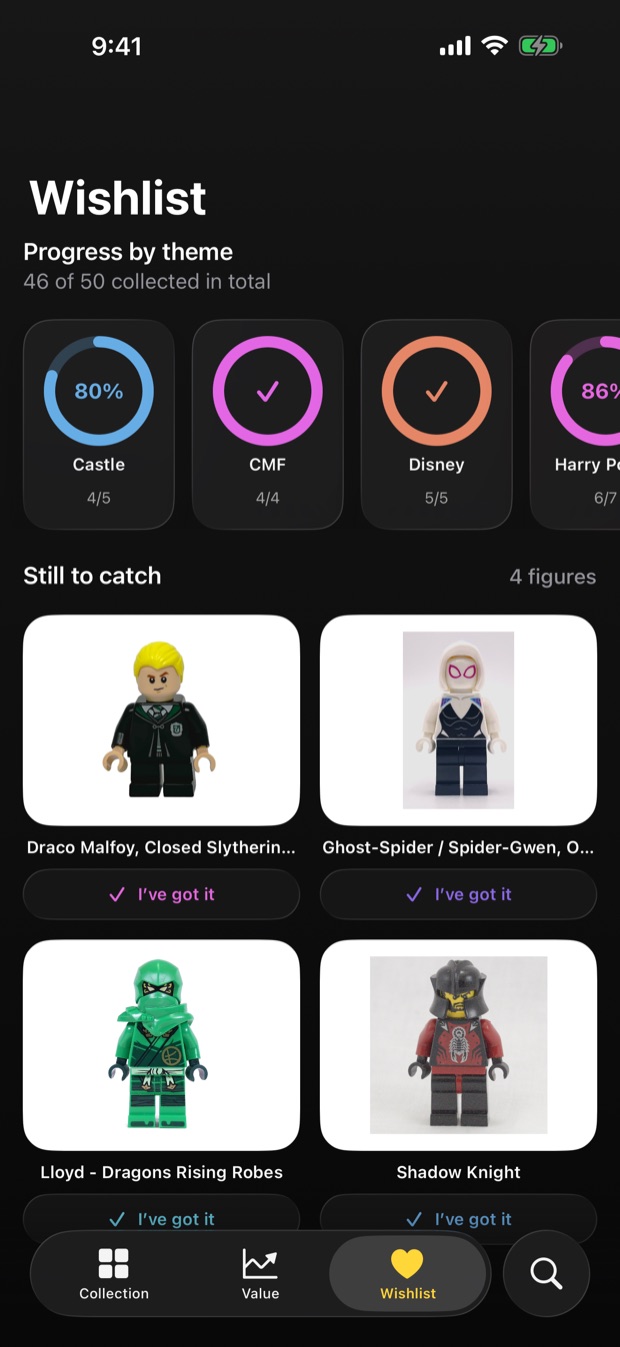
Keep a wishlist and watch completion rings fill up per theme. One tap moves a figure from wanted to owned. Handy at a market stall, when you can't quite remember whether you already have that one.
The same collection, with room to breathe.
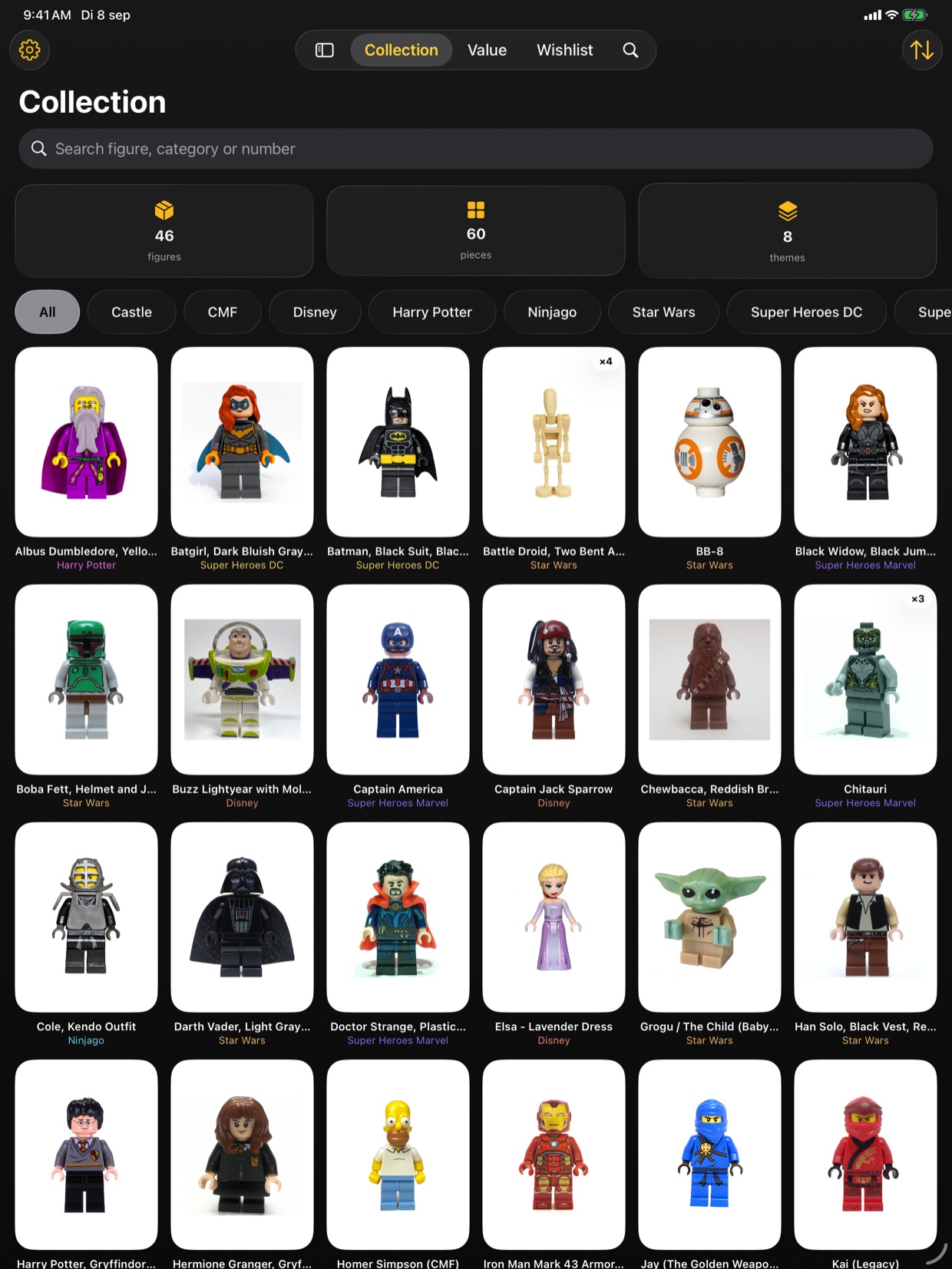
Figbook runs natively on iPad, not blown up from the phone. More figures on screen at once, the tabs along the top, and your collection syncs between your devices through your own iCloud — no account, nothing of yours on our side.
Your collection is nobody's business but yours.
This isn't a marketing line bolted on at the end. It's why the app is built the way it is.
Nothing to sign up for
Open the app and start adding. There is no login, no email, no password — because there is no server of ours to log in to.
No analytics, no ads
Figbook contains no advertising SDKs and no analytics tools. We don't follow you between apps or websites, because we don't measure you at all.
Sync we can't read
Your collection syncs between your devices through your own iCloud account, in Apple's private database. We have no access to it.
Stored in the Keychain
BrickLink API keys are optional and stay in your device's Keychain. They're used to ask BrickLink for prices directly — never shared with us or anyone else.
The full details are in the privacy policy.
I built this one for myself first.
I'm Jon, I'm a LEGO fan, and Figbook is my first app. Starting with something I'd use anyway felt like the right way in — you notice straight away when it's wrong.
I didn't come from tech. I found programming through Apple after finishing up a job on the golf course, and I've picked it up bit by bit ever since. These days I build small iOS apps from Mougins, in the south of France.
That's also why Figbook has no account. Your collection is yours: it lives on your device and syncs through your own iCloud. There is no server of mine for it to sit on — so there is nothing for me to see, nothing to lose, and nothing anyone can ask me to hand over.
Questions, ideas, or something broken? Mail me — it comes straight to me.
Try it free. Buy it once.
No subscription. No renewal date. No surprises.
- Unlimited figures in your collection
- Unlimited wishlist and storage locations
- Market values and full price history
- Your own photos per figure
- Every future update to version 1
Shown in your own currency on the App Store.
Before you ask
Do I need a BrickLink account?
No. Figbook works completely without one — you can build your whole collection, use the wishlist and record storage locations. BrickLink keys are only needed if you want live market values and price history. Note that BrickLink issues API keys to store accounts; a regular buyer account won't do.
Does it work without internet?
Yes. The minifigure catalogue ships inside the app, so searching and adding works offline. Only price updates and filling in figures missing from the catalogue need a connection.
What happens if I don't use iCloud?
Everything still works — your collection lives on your device. iCloud only adds syncing between your own Apple devices. You'll see a note in Settings telling you sync is off, and nothing else changes.
Where does the figure data come from?
The catalogue and artwork come from Rebrickable, the finer theme and sub-theme structure from Brickset, and market values from BrickLink's completed sales. All three are independent community resources. Prices are fetched straight from your device; the catalogue ships inside the app.
Is this an official LEGO app?
No. Figbook is an independent app built by one developer, and is not affiliated with, authorised by or endorsed by the LEGO Group or BrickLink.
iPad? Mac? Android?
Figbook runs natively on iPhone and iPad, and your collection syncs between them through your own iCloud. There's no Mac or Android version, and none planned for now.